Follow the keys and play your first song
Pick a song you can sing. The key to press lights up, and the music only moves on when you get it right. The help comes off bit by bit, and by the end you can read a few notes on the staff.
No sign-up, no piano: tap the keys on your phone or computer screen.
Free. Your progress stays in your browser.
Built for someone touching a piano for the first time
Every detail answers one question: which key do I press now?
The keys wait for you
No timer, no score. The music moves on one note when you press the right key.
Help comes off one piece at a time
First a lit key, then the letter, then a blue line on the staff. Fall behind at any step and a wrong press brings the help back.
One line at a time
The song is split into short lines. Play each one at least twice, then the whole tune. The steps at the top show how much is left.
A wrong key tells you the right one
"You pressed G. The note is G↑." Not just wrong: which one instead.
You decide how much help
Want the lit keys all the way through? Tick "Always light the key and show letters".
Open it and play
No sign-up, no piano, and the keys fit a phone held upright. Your progress stays in your browser.
Songs you can learn now
Each song is prepared the same way: split into lines, letters on the notes, keys that wait for you.
Happy Birthday
25 notes · 4 lines · white keys only
Mary Had a Little Lamb
26 notes · 4 lines · white keys only
Row, Row, Row Your Boat
27 notes · 4 lines · white keys only
Twinkle Twinkle Little Star
42 notes · 6 lines · white keys only
Old MacDonald Had a Farm
59 notes · 5 lines · white keys only
The Itsy Bitsy Spider
47 notes · 4 lines · white keys only
Ode to Joy
62 notes · 8 lines · white keys only
Amazing Grace
33 notes · 4 lines · white keys only
Jingle Bells
51 notes · 4 lines · white keys only
We Wish You a Merry Christmas
54 notes · 7 lines · white keys only
Joy to the World
57 notes · 7 lines · white keys only
Deck the Halls
68 notes · 4 lines · white keys only
Auld Lang Syne
56 notes · 8 lines · white keys only
Silent Night
46 notes · 6 lines · white keys only
Für Elise
35 notes · 6 lines · white keys only
Carol of the Bells
87 notes · 6 lines · white keys only
More songs are on the way. When you finish one, tell us which song you want next.
Why start with a song?
Most people who want to learn piano want to play a particular song, and where they get stuck is reading the music. So we put the two together: the song you want, with reading music picked up along the way.
- With a song you can sing, you hear your own mistakes
- Letter notes get you playing at once, but leave you leaning on the letters
- So the letters come off one by one, replaced by where the note sits on the staff
How it works
Start with a song you can already sing and play it one line at a time. No sign-up, no piano needed.
Open a song
Sheet music, keys and sound on one page. Works on a phone or a computer.
Nothing moves until you press the right key
The key to press lights up and says "Press". A wrong key is fine: the page tells you which one it should be.
The help comes off bit by bit
Follow the lit key first, then the letters, then where the note sits on the staff. By the end of the song you can read a few of its notes.
See it in action
This is the practice page: the keys wait for you, and the help steps back as you go.
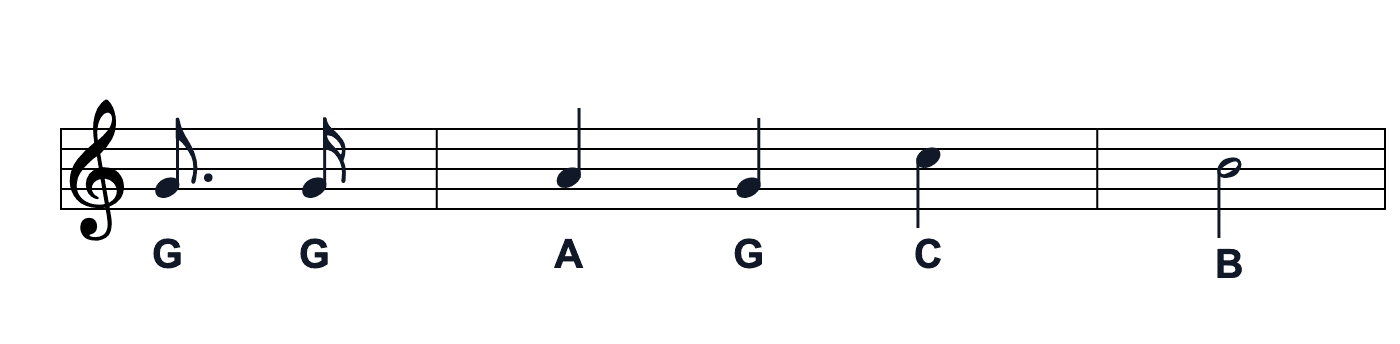
Made for touch screens
Only eight white keys on screen, so each one is wide enough for a finger with the phone held upright.
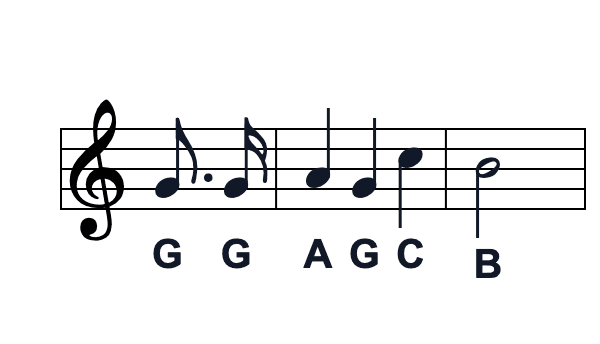
Who it's for
No experience needed, and no piano at home either.
People who have never played
Can't read music, don't know where the keys are? Fine. The first line keeps the keys lit and walks you through.
- Letters on the keys
- A wrong key tells you the right one
- One line at a time, no rush
People who want to play a song for someone
Birthday coming up? Get Happy Birthday under your fingers on screen, then play it for them on a real piano.
- The song split into four lines
- The whole tune once the lines are done
- Letter notes for the whole tune below, to copy down
If something's off
What to do in the usual cases.
No sound
Usually one of these.
- • Check the phone isn't on silent
- • Turn the system volume up
- • Tap any key on the page and try again
The keys stopped lighting up
That's on purpose.
- • After two presses on a note, you find it by its letter instead
- • To keep them lit, tick "Always light the key and show letters"
- • Stuck? Press "Not sure? Show me the key"
My progress is gone
Progress is kept on this device only.
- • It lives in this browser on this device
- • Another browser or a private window starts from the beginning
- • Switching language on the same device carries on where you were
Ready for the first line?
Open Happy Birthday and press the key that lights up. No sign-up.
Try Happy Birthday